Speaker-driven camera cuts
Choose camera angles from microphone activity. Up to 10 mappings let several microphones use the same camera or each speaker have their own shot.
Automatic multicamera editing
Turn a recorded conversation into an editable multicamera cut. Assign microphones to camera tracks, choose the rhythm and let Auto Camera build the edit in Adobe Premiere Pro.
Premiere Pro 26.2+ · Windows & macOS · UXP panel
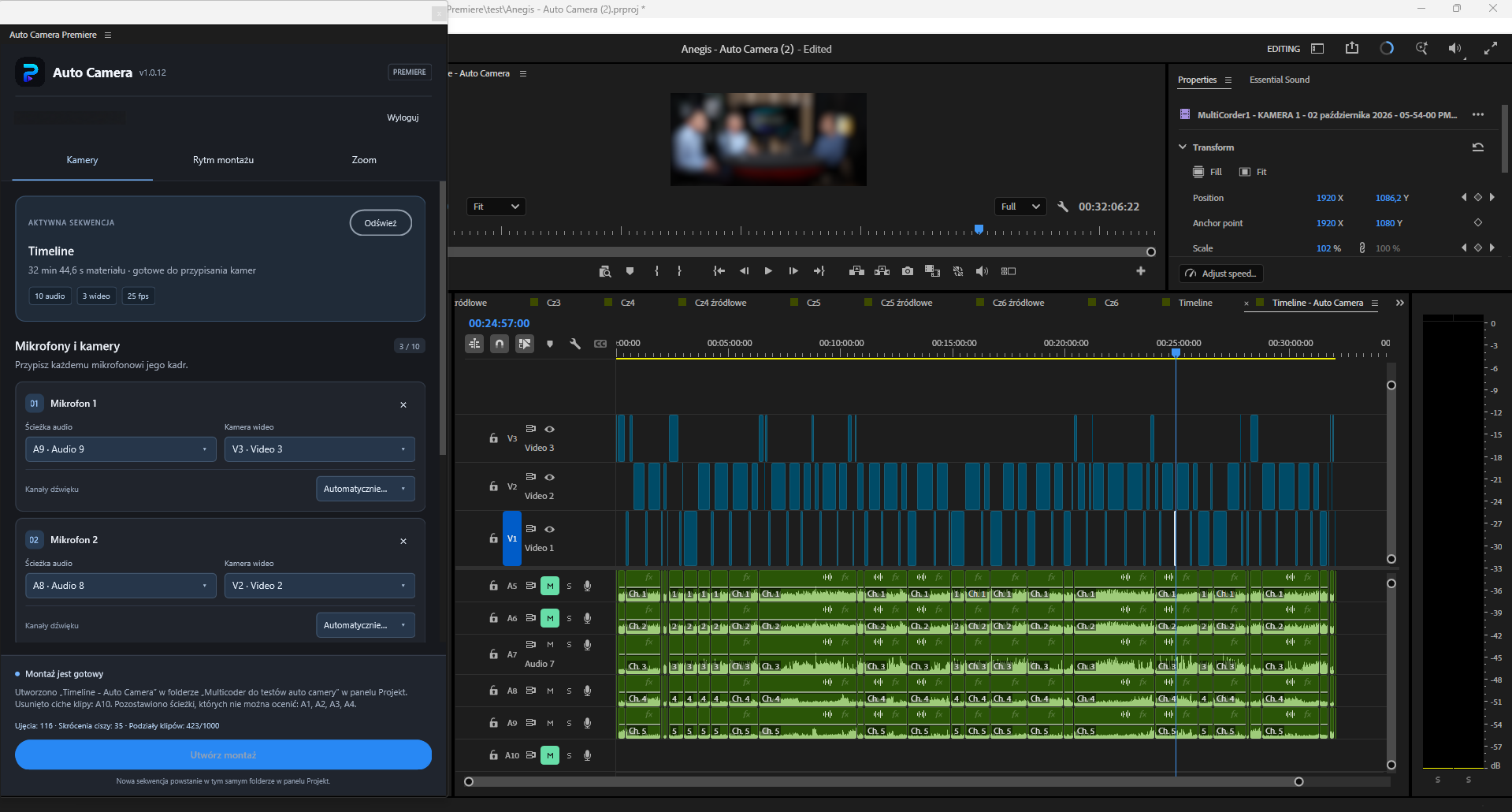
Work directly in Premiere with the cameras and microphone recordings already arranged on your timeline.
Read the active sequence and assign up to 10 microphone tracks to video tracks. Choose WAV source channels automatically or select a channel manually.
Adjust the voice threshold, reaction, speaker hold and minimum shot duration. Bring the next speaker on screen earlier with adjustable cut anticipation.
Create a separate sequence with normal, editable clips. Keep refining the cuts in Premiere while your original sequence remains available.
Features
Choose camera angles from microphone activity. Up to 10 mappings let several microphones use the same camera or each speaker have their own shot.
Set how quickly the camera reacts, how long a shot is held and its minimum duration. Anticipate the next speaker by up to two seconds.
Insert wide shots at fixed or random intervals, or between speaker changes. Adjust the duration to suit the conversation.
Trim pauses across audio and video together. Set the silence threshold, minimum pause and margins around speech; use Auto to estimate a threshold from your selected microphones.
Choose the person to move toward in a one-, two- or three-person shot. Control zoom speed and enable it individually for each microphone and the wide shot.
Build the camera cut on a new top video track, or trim the existing camera tracks in the copied sequence. The result stays editable in Premiere.
Your settings, camera assignments and zoom controls in one panel. Select any screenshot to enlarge it.
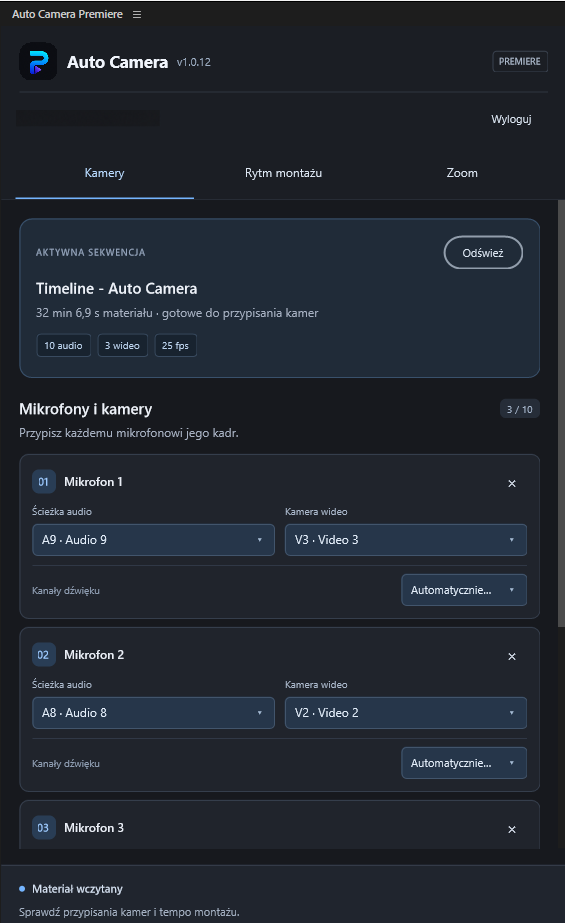
Assign each microphone to an audio track and a camera, then select the source audio channel.
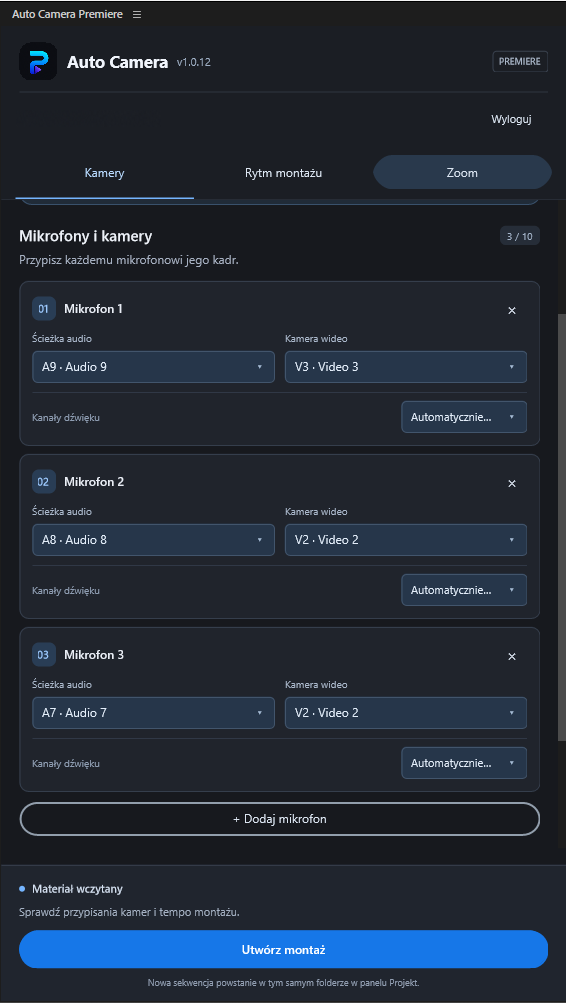
Map different microphones to the same camera while retaining a separate configuration for each speaker.
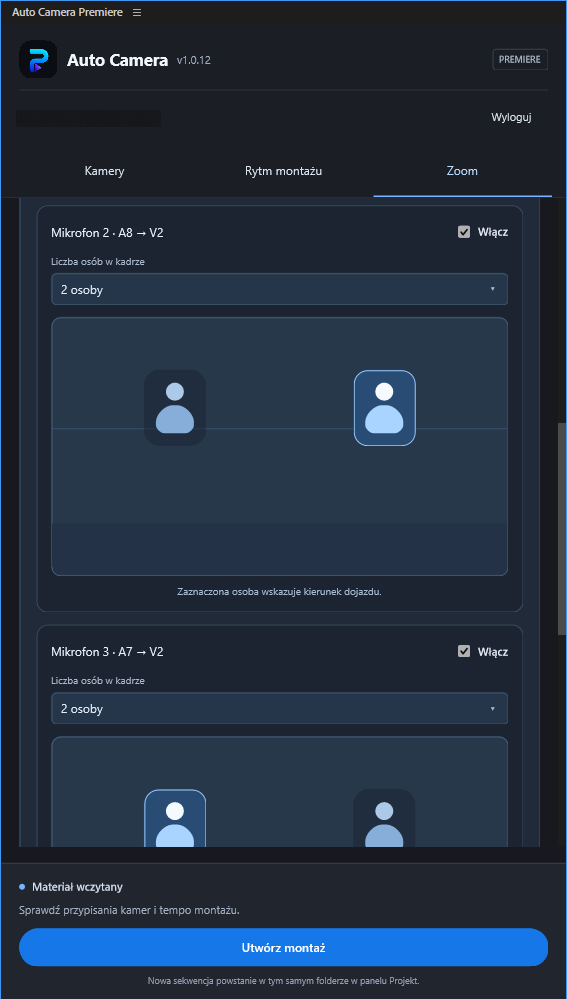
Select how many people are in the shot and the person to move toward. Enable the move for each shot independently.
Auto Camera works on a copy of the sequence and saves the result in a separate project file. Review the automatic edit, adjust cuts and continue working in Premiere. The original project is not overwritten.
Prepare and synchronize the recordings first. Auto Camera uses their existing timeline positions to analyze microphones and create camera cuts.
Yes. The output contains normal Premiere clips in a separate sequence. You can move cuts and keep editing by hand.
It is a digital move created with Motion position and scale keyframes. You choose the subject and speed; it does not move a physical PTZ camera.
The current version analyzes source WAV files on the mapped microphone tracks, with automatic or manual source-channel selection. Compressed audio, nested sequences, reverse and speed changes are not supported for analysis.
Contact support@pluginsforlive.com for access and licensing information. A payment link will be added to this page later.
Tell us about your Premiere workflow and ask about access to Auto Camera for Adobe Premiere.